The defrag screensaver: oddly satisfying
Watch Macintosh HD get tidied, one coloured block at a time.
This is a browser preview. The Mac app runs it natively with Metal, plus CRT curvature, glow, your own pictures and more.
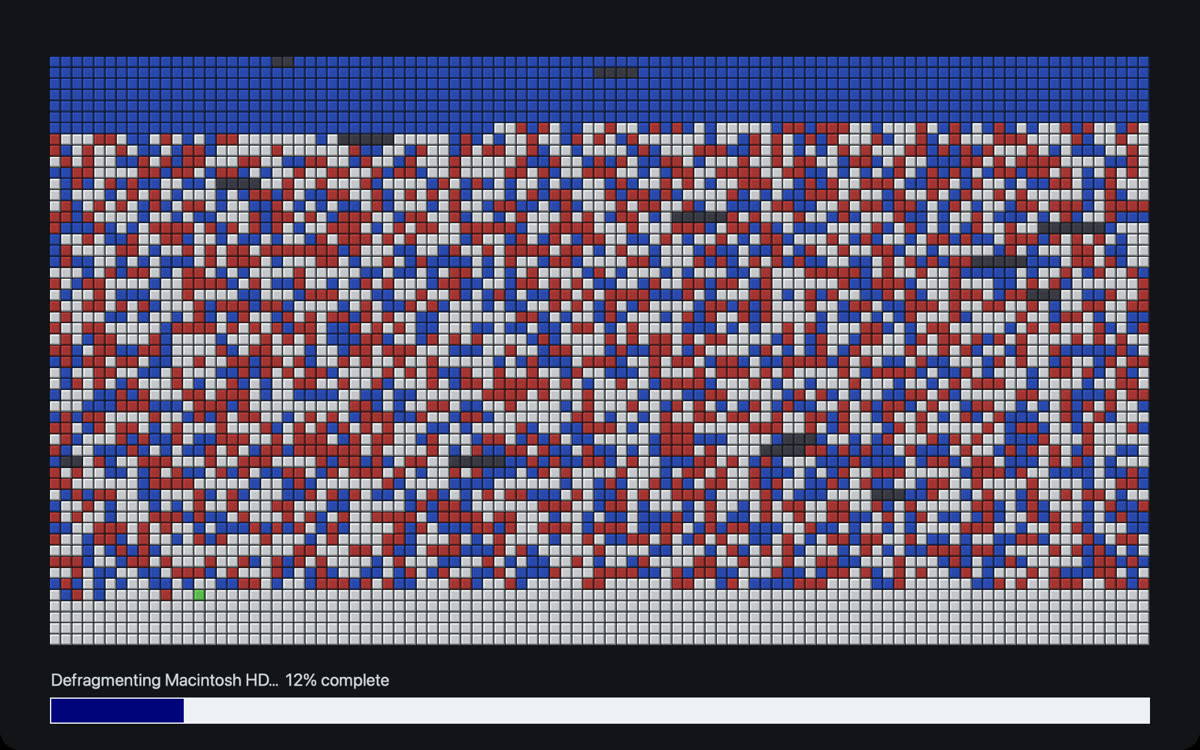
If you ever sat and watched a disk defragmenter shuffle little coloured blocks into order, you know how hypnotic it was. Idle98's Defrag recreates that feeling as a screensaver, with a real tidying algorithm underneath, so you can see the used space gather at the front of the disk.
When the disk is in order, it announces it's complete, then a fresh, messy disk appears. Don't worry: it's only pretend, and it never touches your actual files.
What you get
- A real compaction you can watch, block by block
- Reading and writing blocks light up as they move
- Choose block size, speed and how messy each disk starts
- Progress bar and status, just like the old days
Does it really defragment my Mac?
No, it's purely a screensaver, and modern Macs don't need defragmenting anyway. It's here for the nostalgia, and because it's one of the most calming things ever put on a screen.
How to install it on your Mac
Download Idle98, open it and click Install. The screensaver goes into your own Library, so you don't need an admin password and nothing touches your system files.
macOS asks you to choose your screen saver yourself, so Idle98 opens the right page for you: System Settings, Wallpaper, then Screen Saver. Pick Idle98 and set how long your Mac should wait. Everything else, like which screensaver plays and how it looks, you choose in the Idle98 app.
Will it change anything on my disk?
No. Defrag only draws an animation. It never reads or moves your files.
How long does one disk take?
A couple of minutes at normal speed. Turn the speed up or down in Settings.
Which Macs does it support?
Works on macOS 14 Sonoma and later, on Apple Silicon and Intel Macs, with Retina and external displays.
Defrag comes with all 9 Idle98 screensavers: 3D Pipes, Starfield, Polygons, Bouncing Logo, 3D Maze, 3D Text, Digital Rain, Defrag, Flying Windows. One payment of $9.99, yours forever.
Also try: 3D Pipes · Starfield · Polygons · Bouncing Logo · 3D Maze · 3D Text · Digital Rain · Flying Windows